
Install 100+ Real BeamNG.drive Car Mods in 1 Click
Tired of ModLand pop-up ads, fake download buttons, and dragging .zip files into folders? Browse verified BMW, Mercedes, Porsche & Rolls-Royce mods with real photo galleries and install straight into BeamNG.drive.
Explore All BeamNG Mods (103)
From Download to Driving in Under 60 Seconds
5-Second 1-Click Installer
Download the lightweight Windows installer directly from GitHub Releases. No bundled adware, no browser toolbars, auto-updates built in.
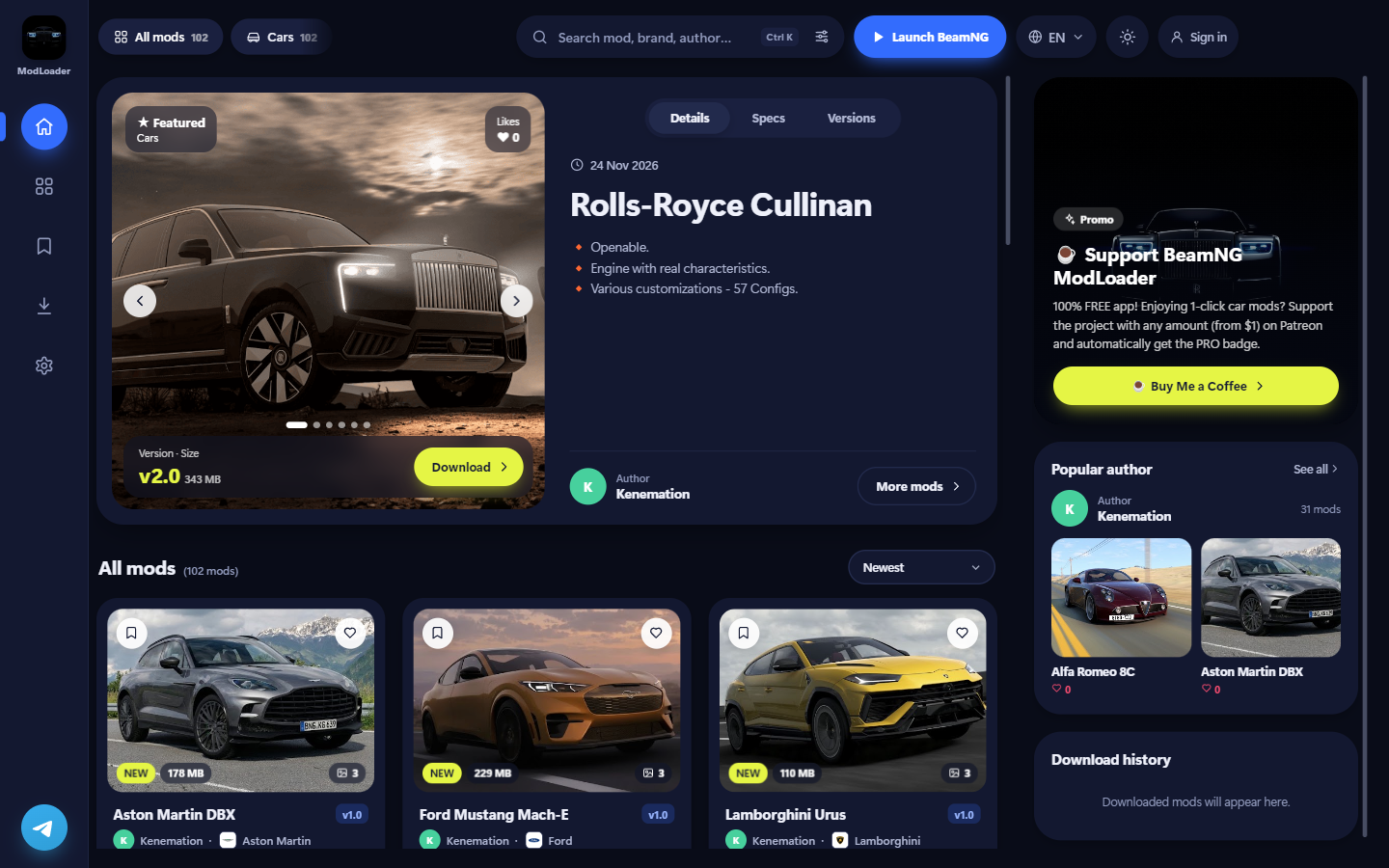
Browse Real Galleries & Specs
Filter by brand (BMW, Mercedes, Audi, Porsche, Ferrari & more), vehicle type, or search instantly. Inspect multiple photos and file size before downloading.
Auto-Installs Into BeamNG.drive
Automatically detects your BeamNG.drive mods folder, verifies clean .zip archives, and lets you enable, disable, or uninstall mods in 1 click.
- ✕ Fake "Download" ad buttons & pop-up redirects
- ✕ Broken or expired links & 30-second countdown loops
- ✕ Manually finding
AppData\Local\BeamNG\...\mods - ✕ Hard to know which mod crashed the game after an update
- ✔ Clean Dark & Light desktop app — zero pop-ups or redirects
- ✔ Verified
.zipmods with SHA-256 integrity checks - ✔ 1-click install, update, toggle ON/OFF, or clean uninstall
- ✔ New cars, motorcycles & maps appear automatically every week
Frequently Asked Questions
Why does Windows SmartScreen show a blue warning when running the installer?
BeamNG ModLoader is a free independent app — Windows SmartScreen automatically flags any new indie installer that hasn't paid $300+/year for an EV certificate yet. Every release is hosted publicly on GitHub Releases with SHA-256 checksums, and you can scan the file on VirusTotal before running. Click More info → Run anyway once to install.
Is BeamNG ModLoader really free?
Yes! You can download the desktop app and install mods completely free. If you want to support fast hosting and weekly car updates, you can optionally buy us a coffee (from $1) on Ko-fi or Patreon.
Does it work with the Steam version of BeamNG.drive?
Yes! It automatically detects your standard Steam BeamNG.drive user mods folder on Windows 10 and Windows 11, or lets you pick any custom mods folder in Settings.
Will it touch or delete my existing mods?
Never. Existing manual .zip mods in your BeamNG folder stay untouched. Mods installed via ModLoader can be disabled (safely moved to a backup folder without deleting) or uninstalled cleanly at any time.